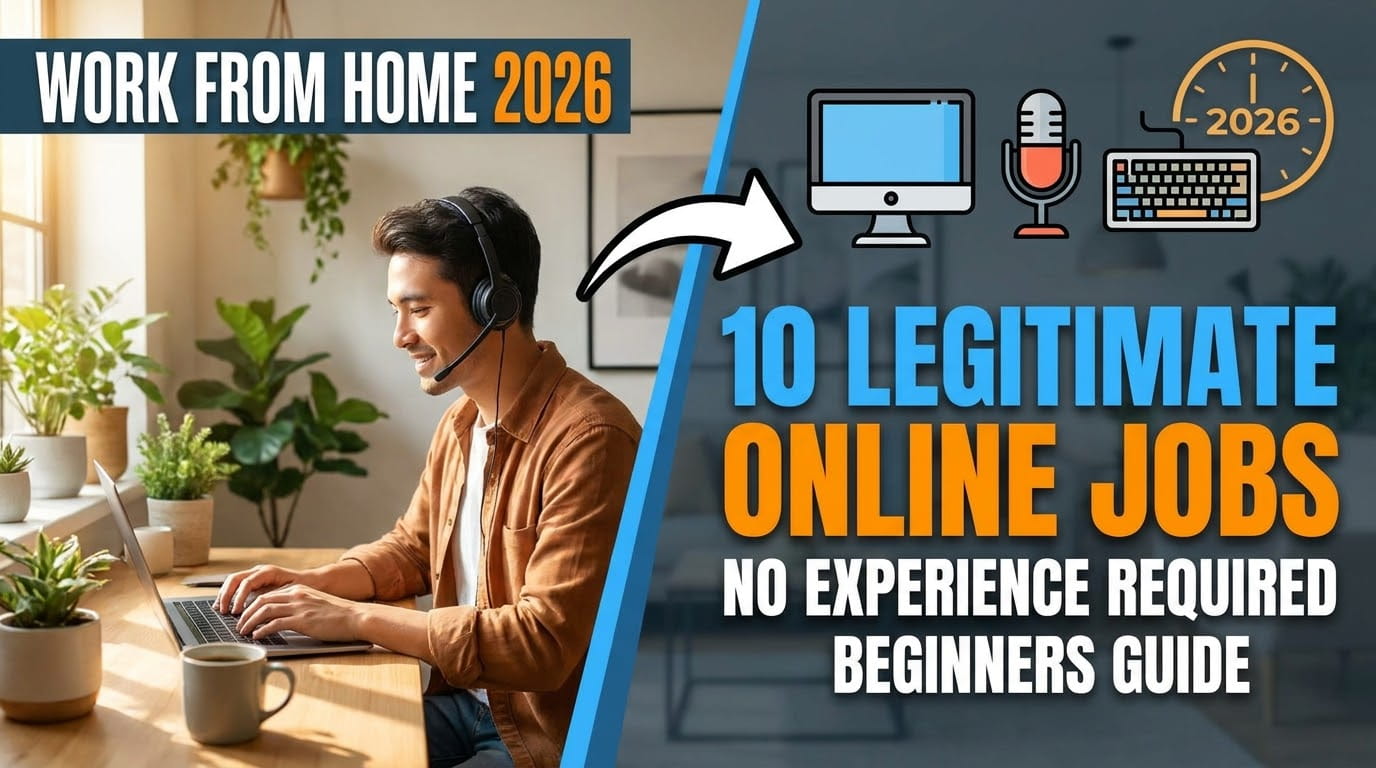
Can You Really Work From Home With No Experience?
Imagine waking up, making your coffee, opening your laptop, and starting your workday without commuting to an office. You can work from your bedroom, a home office, or almost anywhere with a reliable internet connection.
Sounds attractive, right?
For many people, working from home is no longer just a dream. Companies hire remote customer support representatives, virtual assistants, data entry workers, content writers, online tutors, and other entry-level employees. Freelance marketplaces also connect beginners with clients who need help completing everyday online tasks.
The best part? You don’t always need a college degree, years of professional experience, or advanced technical knowledge to get started.
However, let’s be realistic. A legitimate work-from-home job is not the same as an advertisement promising $500 every day for clicking buttons. Beginners still need basic skills, patience, reliable communication, and the ability to complete tasks correctly.
There are also plenty of fake job advertisements targeting people who urgently need online income. Some ask applicants to pay registration fees, purchase starter kits, deposit cryptocurrency, or share sensitive personal information.
That’s why this guide focuses on realistic opportunities rather than get-rich-quick promises.
In this article, you’ll discover 10 legitimate work-from-home jobs for beginners in 2026, what each job involves, where to find opportunities, and how to apply even if your resume doesn’t contain previous remote-work experience.
1. Customer Service Representative
<text>Best for: Beginners with good communication skills and patience.</text>
Customer service is one of the most practical ways to enter the remote workforce.
Companies selling products and services need people who can answer customer questions, solve basic problems, explain policies, and help customers complete orders.
Many businesses provide training, scripts, and customer support software, so you may not need previous professional experience for an entry-level position.
What will you do?
Your daily responsibilities may include:
- Answering customer questions through email or live chat.
- Responding to basic product and service inquiries.
- Helping customers track orders.
- Explaining refunds, returns, and account procedures.
- Updating customer records.
- Forwarding complicated issues to senior support staff.
Some positions require phone calls, while others focus entirely on email and chat support.
Where can you find these jobs?
Start with:
- Indeed – Search for remote customer service jobs.
- LinkedIn Jobs – Look for entry-level remote support positions.
- FlexJobs – Explore remote and flexible employment listings.
- Company career pages – Check online retailers, software companies, and service providers directly.
How to get started
- Practice writing professional customer responses.
- Learn basic email and spreadsheet tools.
- Prepare a simple resume highlighting communication and problem-solving skills.
- Search for “remote customer support representative” and “entry-level chat support.”
- Apply to positions that clearly state their training and experience requirements.
Beginner tip: If you are uncomfortable speaking on the phone, prioritize chat and email support roles.
2. Virtual Assistant
<text>Best for: Organized beginners who enjoy administrative tasks.</text>
A virtual assistant, commonly called a VA, provides administrative support to business owners, entrepreneurs, online stores, and busy professionals.
Think of a virtual assistant as an office assistant who works remotely.
You don’t necessarily need an advanced qualification. Many clients need someone dependable who can organize information, respond to emails, schedule appointments, and complete simple online tasks.
What will you do?
Typical responsibilities include:
- Managing email inboxes.
- Scheduling meetings and appointments.
- Organizing documents.
- Researching information online.
- Updating spreadsheets.
- Preparing simple reports.
- Managing calendars and reminders.
- Helping with basic customer communication.
Some virtual assistants also support social media accounts or online stores.
Where can you find virtual assistant work?
How to get started
- Learn Google Docs, Google Sheets, Gmail, and calendar tools.
- Create a sample spreadsheet showing how you organize information.
- Prepare a short introduction describing your services.
- Create a professional freelancer profile.
- Apply for small administrative projects before targeting larger contracts.
Beginner tip: Don’t advertise yourself as an expert in everything. Offer a few clear services, such as email management, web research, and spreadsheet organization.
3. Data Entry Jobs
<text>Best for: Beginners with accurate typing and attention to detail.</text>
Data entry is often advertised as one of the easiest work-from-home jobs because many tasks require basic computer knowledge rather than specialized qualifications.
Businesses collect large amounts of information and need employees or contractors to enter, organize, and update it.
What will you do?
Common data entry responsibilities include:
- Entering information into spreadsheets.
- Updating customer databases.
- Organizing digital records.
- Transferring information from documents.
- Checking records for errors.
- Uploading product information to online stores.
You may work with Microsoft Excel, Google Sheets, or a company’s internal database.
Skills you need
- Accurate typing.
- Basic spreadsheet knowledge.
- Attention to detail.
- Time management.
- Ability to follow instructions.
Where can you find opportunities?
Search on Indeed, LinkedIn, Upwork, and reputable staffing agency websites.
Use search terms such as:
- Remote data entry clerk.
- Entry-level data entry.
- Online records assistant.
- Remote administrative assistant.
How to get started
- Practice typing accurately.
- Learn basic spreadsheet functions.
- Create a sample spreadsheet containing organized fictional records.
- Prepare a resume emphasizing accuracy and computer skills.
- Apply for clearly described entry-level positions.
Important: Data entry scams are common. Avoid advertisements promising unusually high earnings for almost no work, especially when applicants must pay a registration or activation fee.
4. Freelance Content Writing
<text>Best for: Beginners who enjoy writing and researching information.</text>
If you enjoy writing, freelance content creation can become a useful remote-work opportunity.
Businesses need written content for websites, blogs, product descriptions, newsletters, social media accounts, and marketing campaigns.
You don’t always need professional writing experience to begin. However, you must demonstrate that you can produce clear, original, useful content.
What will you write?
Possible assignments include:
- Blog articles.
- Product descriptions.
- Website pages.
- Social media captions.
- Email newsletters.
- Simple how-to guides.
- Frequently asked questions.
Some clients also need proofreading and basic editing.
Where can you find writing work?
How to get started
- Choose a topic you understand, such as technology, travel, finance, or lifestyle.
- Write two or three original sample articles.
- Create a small portfolio using Google Docs or a simple website.
- Learn basic grammar, formatting, and SEO principles.
- Apply for small writing assignments.
- Request feedback and improve your work.
Beginner tip: A good portfolio can demonstrate your ability even when you don’t have previous paid writing experience.
5. Social Media Assistant
<text>Best for: Beginners who understand social platforms and enjoy creating content.</text>
Businesses increasingly use social media to communicate with customers, promote products, and build their brands.
However, many small companies don’t have enough time to manage their accounts every day. That’s where social media assistants can help.
This job can be a good starting point if you’re already comfortable using platforms such as Instagram, Facebook, TikTok, Pinterest, and LinkedIn.
What will you do?
Your responsibilities may include:
- Scheduling social media posts.
- Writing captions.
- Finding relevant hashtags.
- Responding to basic comments.
- Organizing content calendars.
- Preparing simple graphics.
- Tracking basic engagement statistics.
You may also help upload short videos or organize content ideas.
Where can you find clients?
Look for small businesses, online stores, local brands, content creators, and marketing agencies.
You can also explore freelance opportunities through Upwork and Fiverr.
How to get started
- Learn how professional business accounts work.
- Practice creating simple graphics with Canva.
- Build a sample seven-day social media calendar.
- Create three sample posts for a fictional business.
- Offer a clearly defined beginner service, such as scheduling posts or creating captions.
Beginner tip: Start with content scheduling and simple post creation. Advertising strategy and paid campaign management require additional knowledge.
6. Online Transcription and Captioning
<text>Best for: Beginners with strong listening skills and accurate typing.</text>
Transcription involves converting spoken audio into written text. Captioning is similar, but it also focuses on displaying spoken words as text alongside video content.
Businesses, researchers, content creators, and media organizations may need transcription or captioning services.
You can sometimes work on your own schedule, depending on the platform and assignment availability.
What will you do?
- Listen to recorded audio.
- Convert conversations into text.
- Identify speakers when required.
- Correct spelling and punctuation.
- Add timestamps where requested.
- Prepare captions for video content.
What skills do you need?
- Strong listening ability.
- Accurate typing.
- Good grammar.
- Attention to detail.
- Familiarity with audio playback tools.
Some platforms require applicants to complete a language or transcription assessment before accepting paid work.
Where can you look?
Research the official application requirements of platforms such as:
Availability, language requirements, application acceptance, and payment methods vary by platform and country.
How to get started
- Practice transcribing short audio recordings.
- Learn the difference between verbatim and clean transcription.
- Improve typing speed without sacrificing accuracy.
- Review each platform’s application requirements.
- Complete the required assessment if eligible.
Beginner tip: Don’t assume that every minute of audio takes one minute to transcribe. Difficult recordings can require much longer.
7. Website and App Testing
<text>Best for: Beginners who enjoy exploring websites and sharing feedback.</text>
Companies want to know whether their websites and applications are easy to use.
Website and app testing opportunities allow participants to complete tasks, explore digital products, and report problems they encounter.
You generally don’t need to be a professional software developer for basic usability testing.
What will you do?
You may be asked to:
- Visit a website.
- Find a particular product.
- Complete a checkout process in a test environment.
- Navigate an application.
- Explain confusing design elements.
- Record your screen and voice while testing.
- Answer questions about your experience.
Some assignments involve a short survey, while others require a recorded usability session.
Where can you find opportunities?
These platforms have different eligibility rules and testing requirements. Opportunities are not guaranteed, and some tests may be unavailable in your country.
How to get started
- Visit the platform’s official website.
- Review its country, device, and payment requirements.
- Complete the application or practice test.
- Keep your profile information accurate.
- Check for available tests and complete instructions carefully.
Beginner tip: Give honest feedback. Companies need useful observations, not artificially positive reviews.
8. AI Data Annotation and Evaluation
<text>Best for: Detail-oriented beginners who can follow instructions carefully.</text>
Artificial intelligence systems need data to learn, improve, and evaluate their outputs.
Data annotation and evaluation work may involve reviewing text, categorizing images, checking responses, or assessing whether an AI-generated answer follows instructions.
Some projects accept applicants without professional experience, although they may require language proficiency, subject knowledge, or a qualification test.
What will you do?
Depending on the project, you may:
- Label images or objects.
- Categorize text.
- Compare two AI-generated responses.
- Identify incorrect information.
- Evaluate writing quality.
- Review language and grammar.
- Follow detailed classification guidelines.
Where can you look?
Research official opportunities from platforms and companies such as:
These companies may have different hiring criteria, project availability, geographic restrictions, and assessment procedures.
How to get started
- Improve your reading comprehension and written communication.
- Learn how to follow detailed project instructions.
- Review the official application requirements.
- Complete any qualification assessment independently.
- Apply only for projects that match your location and skills.
Beginner tip: Never pay someone who claims they can guarantee acceptance into an AI training or annotation platform.
9. Online Tutoring
<text>Best for: People who understand a subject and enjoy teaching.</text>
Do you understand mathematics, English grammar, science, computer basics, or another academic subject?
You may be able to use that knowledge to provide online tutoring.
Online tutors help students understand lessons, complete practice exercises, improve language skills, and prepare for examinations.
Some tutoring platforms require formal qualifications or teaching experience, while others may accept knowledgeable tutors for informal learning and conversation practice.
What will you teach?
Depending on your qualifications and the platform, you might teach:
- Basic mathematics.
- English conversation.
- Grammar and writing.
- Science fundamentals.
- Computer skills.
- Beginner-level programming.
- School-level subjects.
Where can you find tutoring opportunities?
Check each platform’s current tutor eligibility, location restrictions, subject requirements, and payment arrangements.
How to get started
- Choose a subject you genuinely understand.
- Prepare a short sample lesson.
- Create a professional tutor introduction.
- Check the platform’s requirements.
- Set a realistic schedule.
- Collect feedback and improve your teaching approach.
Beginner tip: You don’t have to teach advanced subjects. Helping someone understand basic English or mathematics can be a useful starting point if you have the required knowledge.
10. E-commerce Product Listing Assistant
<text>Best for: Beginners who are comfortable with computers and online shopping platforms.</text>
Online stores need people to organize product information and keep their listings accurate.
A product listing assistant helps sellers upload products, add descriptions, organize categories, and update information.
This role can be suitable for beginners because many tasks follow a repeatable process.
What will you do?
Your responsibilities may include:
- Uploading product images.
- Adding product titles and descriptions.
- Entering prices and product details.
- Organizing products into categories.
- Updating stock information.
- Checking product listings for errors.
- Formatting product information.
Some businesses use Shopify, WooCommerce, Amazon Seller Central, or other e-commerce systems.
Where can you find work?
Search for product listing assistant, e-commerce virtual assistant, and online store assistant opportunities on Upwork, Fiverr, LinkedIn, and Indeed.
How to get started
- Learn basic e-commerce terminology.
- Explore how product pages are organized.
- Practice creating sample listings using fictional products.
- Learn basic image resizing and spreadsheet organization.
- Apply for small product-uploading projects.
Beginner tip: Accuracy matters. A wrong price, product variation, or stock quantity can create problems for an online seller.
11. Comparison: Which Work-From-Home Job Is Best for Beginners?
Not every online job requires the same skills or offers the same working arrangement. Use this table to identify opportunities that match your abilities.
| Job | Main skill required | Typical working style |
|---|---|---|
| Customer service | Communication | Part-time or full-time |
| Virtual assistant | Organization | Flexible or scheduled |
| Data entry | Accuracy and typing | Task-based or scheduled |
| Content writing | Writing and research | Freelance or contract |
| Social media assistant | Content organization | Freelance or part-time |
| Transcription | Listening and typing | Task-based |
| Website testing | Observation and feedback | Occasional assignments |
| AI data annotation | Attention to detail | Project-based |
| Online tutoring | Subject knowledge | Scheduled sessions |
| Product listing assistant | Computer skills | Freelance or scheduled |
The easiest option depends on your strengths.
For example, someone who enjoys writing may prefer content creation, while a person who likes organizing information may find virtual assistance or product listing more suitable.
If you want a more structured working schedule, look for employee positions in customer service or administrative support. If you prefer choosing individual projects, freelance marketplaces may be a better starting point.
12. How to Get Your First Work-From-Home Job With No Experience
Knowing which jobs exist is only half the challenge. The next step is convincing an employer or client that you can complete the work.
Here is a practical approach.
Step 1: Choose one job category
Don’t apply randomly to every online job you see.
Select one or two areas based on your current abilities. For example:
- Good writing skills: content writing or transcription.
- Strong organization: virtual assistant.
- Accurate typing: data entry.
- Good communication: customer service.
- Interest in technology: website testing or AI annotation.
A focused approach makes it easier to prepare a relevant resume and portfolio.
Step 2: Learn the basic tools
You don’t need to purchase expensive software to begin learning.
Useful beginner tools include:
- Google Docs for writing.
- Google Sheets for spreadsheets.
- Gmail for professional communication.
- Canva for basic graphics.
- Zoom or Google Meet for online meetings.
- Trello for task organization.
Many tools offer free versions or introductory learning resources.
Step 3: Create a simple resume
Your resume doesn’t need to contain years of professional employment.
Highlight:
- Education.
- Computer skills.
- Language abilities.
- Communication skills.
- Volunteer activities.
- Personal projects.
- Relevant courses or training.
- Examples of work you have completed.
Be honest about your experience. Never invent employment history or qualifications.
Step 4: Build a small portfolio
A portfolio is proof that you can perform a particular task.
Examples include:
- A sample blog article for a writing job.
- A spreadsheet for a data entry position.
- A sample social media calendar.
- A fictional product listing.
- A short transcription sample.
- A sample customer support email response.
You can create these projects independently without having a paying client.
Step 5: Search trusted job websites
Use reputable job boards and official company career pages.
For employment positions, try Indeed, LinkedIn, and FlexJobs. For freelance services, explore Upwork and Fiverr.
Use specific searches such as:
- Remote entry-level customer service.
- Work from home virtual assistant.
- Junior content writer remote.
- Remote data entry clerk.
- Entry-level e-commerce assistant.
Always check whether the job is genuinely remote and whether applicants from your country are eligible.
Step 6: Write a personalized application
Avoid sending the same generic application to every employer.
Explain:
- Which position you’re applying for.
- Why you’re interested.
- Which relevant skills you have.
- How you can help the employer.
- Where they can view your sample work.
Keep your application short, professional, and honest.
Step 7: Prepare for online interviews
Some employers conduct interviews through video calls, while others use phone calls or written assessments.
Practice answering questions such as:
- Why do you want to work remotely?
- How do you organize your daily tasks?
- How do you handle deadlines?
- What computer tools can you use?
- How would you respond to a difficult customer?
Prepare a quiet workspace and test your internet connection before the interview.
Step 8: Keep applying and improving
You may not receive an offer after your first application. That’s normal.
Review the positions you’re applying for, improve your resume, update your portfolio, and learn from any feedback.
A consistent, targeted job search is generally more useful than applying to hundreds of unrelated advertisements.
13. Best Websites to Find Legitimate Work-From-Home Jobs in 2026
Here are several platforms worth researching. They serve different purposes, so check their fees, eligibility rules, and current opportunities before registering.
General remote job websites
1. Indeed
Indeed allows job seekers to search for remote positions, filter by experience level, and review employer listings. Always verify the employer and job description before applying.
2. LinkedIn Jobs
LinkedIn is useful for finding remote employment, following companies, and connecting with recruiters. Search for entry-level roles and use the remote-work filter.
3. FlexJobs
FlexJobs focuses on remote, flexible, and hybrid employment opportunities. Review its membership pricing and terms before paying for access.
Freelance marketplaces
4. Upwork
Upwork connects freelancers with clients seeking writing, administrative support, design, research, and many other services. A complete profile and relevant portfolio samples can help beginners demonstrate their abilities.
5. Fiverr
Fiverr allows freelancers to create service listings, known as gigs. You can offer specific services such as writing, editing, data organization, or social media support.
Testing and specialized platforms
6. UserTesting
Participants may receive opportunities to test websites and applications and provide feedback. Eligibility and test availability vary.
7. Rev
Rev offers transcription and captioning opportunities subject to its application and qualification requirements.
8. TELUS Digital AI Community
Explore AI-related project opportunities, including work involving data evaluation and language tasks. Availability and requirements vary by project.
Important: A platform’s reputation does not guarantee that every person offering work through it is trustworthy. Keep communication and payments within the platform’s official systems when required by its policies.
14. Important: How to Avoid Work-From-Home Job Scams
Searching for online employment can expose you to fake recruiters and fraudulent job advertisements.
The U.S. Federal Trade Commission (FTC) warns that scammers use attractive work-from-home promises to steal money or personal information. Some advertise fake jobs involving simple online tasks, while others send fraudulent checks or demand payments for supposed training.
Watch out for these warning signs.
1. They ask you to pay a registration fee
A supposed employer may ask you to pay for account activation, job registration, mandatory training, or access to assignments.
Be cautious. Legitimate employers generally do not charge applicants for the promise of a job.
2. They promise unrealistic earnings
An advertisement claiming you can earn hundreds of dollars every day by clicking buttons for a few minutes deserves serious scrutiny.
Real work involves responsibilities, deadlines, and payment terms.
3. They ask for cryptocurrency deposits
Some fake recruiters offer simple online tasks and display imaginary earnings in an application. Later, they demand cryptocurrency deposits to unlock additional tasks or withdraw supposed profits.
Never deposit your own money to receive wages.
4. They send you a check to purchase equipment
A scammer may send a fake check and instruct you to deposit it, buy equipment from a specified seller, or return part of the money.
The check may initially appear in your account, but it can later be identified as fraudulent, leaving you responsible for the money.
5. They request sensitive information too early
Be careful if an unverified recruiter asks for bank login credentials, passwords, identity documents, or financial information before a legitimate hiring process has taken place.
6. They use unofficial communication channels
An unexpected WhatsApp or Telegram message offering a remote job with unusually attractive pay should be treated cautiously.
The FTC has specifically warned about fake recruiters contacting people through unsolicited text messages and directing them toward fraudulent task jobs.
How to protect yourself
- Verify the company’s official website and contact details.
- Search the company name with terms such as “scam” and “complaint.”
- Apply through official career pages whenever possible.
- Never pay money to unlock work or receive earnings.
- Don’t deposit checks and forward money to strangers.
- Don’t share passwords or banking login details.
- Report suspected U.S.-related job scams to ReportFraud.ftc.gov.
A legitimate job should have a clear description, identifiable employer, understandable payment terms, and a reasonable hiring process.
15. A Simple 30-Day Plan to Start Working From Home
If you’re completely new to online employment, use this practical plan to get organized.
Week 1: Choose your direction
- Select one or two job categories.
- Identify your existing skills.
- Research the tools required.
- Check the qualifications employers expect.
- Decide whether you prefer employment or freelance work.
Week 2: Build your skills
- Practice using relevant software.
- Complete a few beginner exercises.
- Improve your written communication.
- Learn basic online workplace etiquette.
- Create at least two sample projects.
Week 3: Prepare your application
- Write a simple resume.
- Create a professional email address.
- Organize your portfolio.
- Set up relevant job platform profiles.
- Research legitimate employers and clients.
Week 4: Start applying
- Search for suitable entry-level openings.
- Submit personalized applications.
- Track your applications.
- Practice interview questions.
- Improve your portfolio using feedback.
Your first month may not result in a job offer, and that’s okay. The objective is to develop the skills and application materials needed to compete for real opportunities.
Frequently Asked Questions (FAQs)
1. Can I get a work-from-home job with no experience in 2026?
Yes. Some employers and freelance clients accept beginners for customer support, virtual assistance, data entry, transcription, content creation, and other entry-level work. However, you may still need basic skills, a qualification test, or a sample portfolio.
2. What is the easiest online job for beginners?
Data entry, basic virtual assistance, and some customer support positions can be accessible starting points. The easiest option depends on your typing accuracy, communication skills, computer knowledge, and available opportunities.
3. Can I work from home using only a laptop?
Yes. Many remote jobs can be performed using a laptop and reliable internet connection. Some roles also require a headset, webcam, quiet workspace, or specific software.
4. Are work-from-home jobs really legitimate?
Yes, many are genuine. Companies hire remote employees, and clients pay freelancers for completed work. However, fake job advertisements also exist, so verify the employer and never pay someone to receive a job.
5. Can students work online without professional experience?
Students may find suitable opportunities in tutoring, freelance writing, social media assistance, transcription, and administrative support. Check age requirements, study schedules, and platform eligibility before applying.
6. Which websites are best for finding remote jobs?
Indeed and LinkedIn are useful for employment listings, while Upwork and Fiverr are freelance marketplaces. Specialized platforms such as UserTesting and Rev offer different types of project-based opportunities. Availability depends on your country and qualifications.
7. Do online jobs require excellent English?
Not all of them. Some jobs require strong English communication, while others accept different languages or focus on data organization, image labeling, and other tasks. The required language level depends on the employer and position.
8. Can I earn a full-time income from home?
Yes, some people earn full-time incomes through remote employment or freelancing. However, income depends on the role, employer, skills, hours, and market demand. Freelance work can also be irregular, particularly when you’re starting.
9. Do I need a degree for online jobs?
Not always. Many entry-level positions focus on practical skills rather than formal education. However, specialized jobs, professional tutoring positions, and certain corporate roles may require specific qualifications.
10. How long does it take to get the first remote job?
There is no guaranteed timeline. Some applicants find opportunities quickly, while others need several weeks or months to develop their skills, build a portfolio, and secure their first offer.
Conclusion: Start Small and Build Your Remote Career in 2026
Finding legitimate work-from-home jobs for beginners in 2026 is possible, even if you have never worked remotely before.
You can explore customer service, virtual assistance, data entry, content writing, social media management, transcription, website testing, AI data annotation, online tutoring, and e-commerce support.
The most important thing is to choose a role that matches your current abilities instead of chasing every online earning opportunity you see.
Start by learning a few practical tools, preparing a simple resume, creating sample work, and applying through trustworthy platforms. Be patient, improve your skills, and treat online employment like a real career rather than a shortcut to instant money.