Introduction
What if you could work with businesses, manage their daily tasks, organise schedules, answer emails, and provide administrative support without travelling to an office every day?
That’s exactly what a virtual assistant does.
Virtual assistant (VA) jobs have become an interesting option for people who want to earn online, work remotely, and develop professional skills. Small businesses, online stores, entrepreneurs, consultants, and busy professionals often need someone to handle routine tasks so they can focus on growing their businesses.
The best part is that you don’t necessarily need a university degree or years of experience to start. Beginners can learn basic computer skills, practise using common online tools, and offer simple services such as email management, data entry, appointment scheduling, and online research.
However, getting hired is not automatic. You need to understand what clients expect, choose the right services, create a professional profile, and apply through legitimate websites.
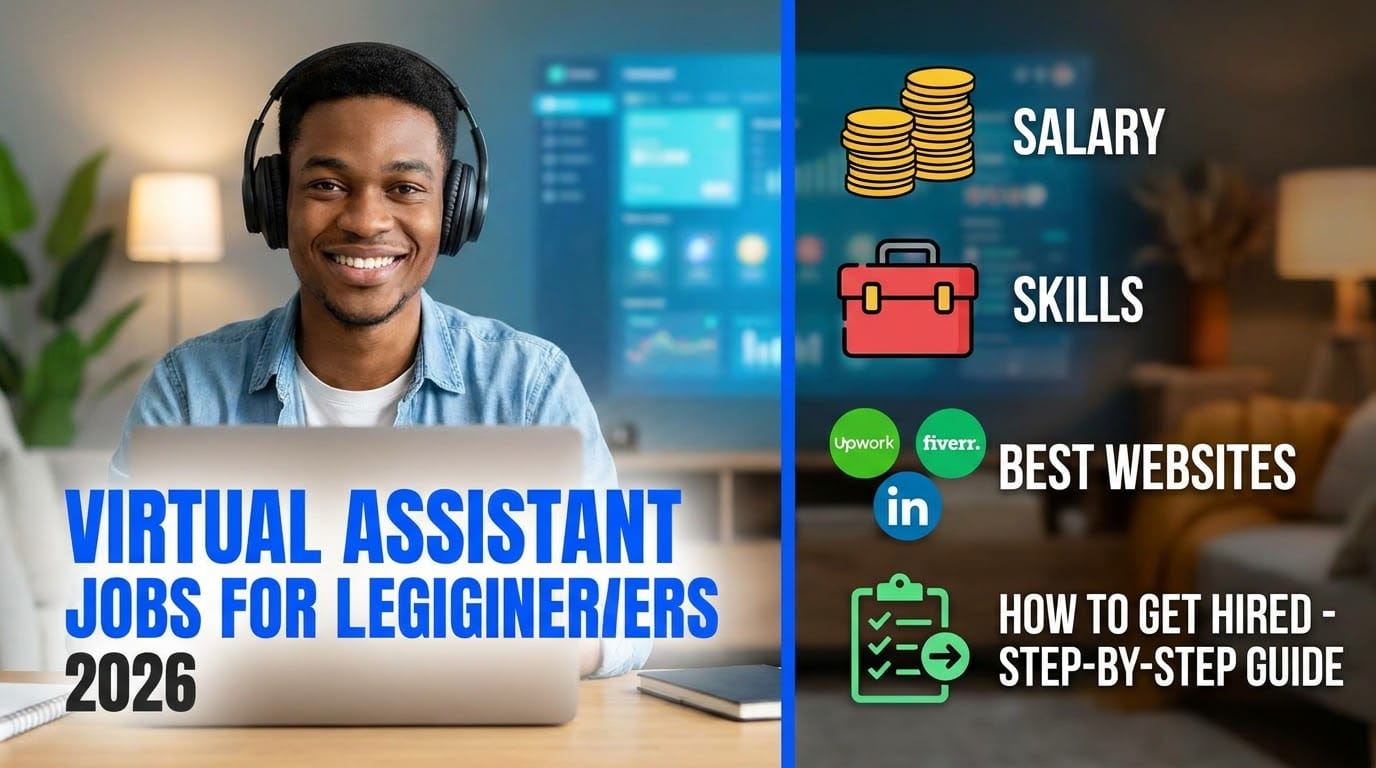
In this guide, we’ll explain what virtual assistants do, which skills you should learn, how much beginners can potentially earn, where to find opportunities, and how to get your first client in 2026.
1. What Is a Virtual Assistant?
A virtual assistant is someone who provides administrative, organisational, customer support, or specialised business services remotely.
Instead of sitting inside a company’s office, a VA works from home or another location using a computer, internet connection, and online communication tools.
For example, imagine a small business owner who receives 100 emails every day, manages several appointments, and needs to update product information on an online store.
Rather than completing every task personally, the owner can hire a virtual assistant to handle some of this work.
Common tasks performed by virtual assistants
Virtual assistants can perform many different responsibilities, including:
- Managing emails and inboxes
- Scheduling meetings and appointments
- Organising calendars
- Entering information into spreadsheets
- Preparing documents and reports
- Conducting online research
- Updating customer records
- Managing social media accounts
- Responding to customer enquiries
- Uploading products to online stores
- Organising files and folders
- Tracking business tasks and deadlines
Some VAs provide general administrative support, while others specialise in areas such as e-commerce, bookkeeping, social media, or executive assistance.
You don’t have to learn everything before starting. Choosing two or three services and becoming good at them is usually a more practical approach.
2. Types of Virtual Assistant Jobs for Beginners in 2026
Before applying, understand the different types of VA work available. This helps you choose services that match your abilities.
1. General Administrative Assistant
This is one of the most common entry points for beginners.
Typical responsibilities include:
- Organising documents
- Managing calendars
- Updating spreadsheets
- Scheduling meetings
- Preparing basic reports
- Organising digital files
If you’re organised and comfortable using a computer, this can be a good starting category.
2. Email Management Assistant
Businesses receive customer messages, enquiries, order updates, and business communications every day.
An email management VA may:
- Organise incoming emails
- Sort messages into folders
- Identify important enquiries
- Draft replies using approved templates
- Flag urgent messages
- Maintain an organised inbox
You need good written communication and attention to detail.
3. Data Entry Virtual Assistant
Data entry involves transferring and organising information in spreadsheets, databases, or online systems.
Common tasks include:
- Entering customer information
- Updating product records
- Organising contact lists
- Converting PDF information into spreadsheets
- Removing duplicate entries
- Checking information for errors
Basic knowledge of Microsoft Excel and Google Sheets is useful.
4. Social Media Virtual Assistant
Many businesses need help managing their social media accounts.
Responsibilities can include:
- Scheduling posts
- Writing simple captions
- Uploading images and videos
- Responding to basic comments
- Organising content calendars
- Monitoring messages
- Preparing simple performance reports
You can learn tools such as Canva and Meta Business Suite to develop this service.
5. E-commerce Virtual Assistant
Online stores often need assistance with daily operations.
A VA working in e-commerce may:
- Upload product listings
- Update prices
- Organise product categories
- Check inventory records
- Process basic order information
- Update product descriptions
- Assist with customer enquiries
Learning platforms such as Shopify or WooCommerce can help you pursue these opportunities.
6. Customer Support Virtual Assistant
Customer support VAs communicate with customers and help resolve common issues.
Typical responsibilities include:
- Answering customer emails
- Responding to live chat messages
- Checking order information
- Providing basic product details
- Forwarding technical problems
- Updating support tickets
Good English communication and patience are especially important.
7. Research Virtual Assistant
Some clients need help collecting and organising publicly available information.
For example, a business might ask you to prepare a spreadsheet containing company names, official websites, business categories, and publicly listed contact details.
Common tasks include:
- Web research
- Competitor research
- Product research
- Contact list preparation
- Market information collection
- Spreadsheet organisation
Always follow the client’s privacy and data-use instructions.
3. Skills Required to Become a Virtual Assistant
You don’t need to be an expert in every software application. However, certain basic skills can make it much easier to find clients.
Here are the most useful skills to develop.
1. Communication Skills
Virtual assistants communicate with clients through email, messaging applications, video calls, and project management platforms.
You should be able to:
- Understand written instructions
- Write professional messages
- Ask clear questions
- Provide progress updates
- Explain problems politely
Good written English is particularly useful when working with international clients.
2. Computer Skills
Learn basic computer operations, including:
- Managing files and folders
- Downloading and uploading documents
- Using browsers
- Sending professional emails
- Working with PDFs
- Organising digital information
These skills form the foundation of most VA responsibilities.
3. Microsoft Office and Google Workspace
Become comfortable with:
- Microsoft Word
- Microsoft Excel
- Google Docs
- Google Sheets
- Google Drive
- Google Calendar
- Gmail
You don’t need advanced spreadsheet knowledge for every beginner position, but basic formatting, sorting, filtering, and formulas can help.
4. Time Management
Clients may work in different countries and time zones.
You must manage deadlines, organise your daily schedule, and communicate if something might be delayed.
5. Organisation and Attention to Detail
Small mistakes can cause unnecessary problems for clients.
For example, booking a meeting at the wrong time or entering an incorrect customer email address can affect business operations.
A reliable VA checks work before submitting it.
6. Social Media Skills
If you want to offer social media assistance, learn:
- Facebook Page management
- Instagram scheduling
- Basic caption writing
- Canva
- Meta Business Suite
- Content calendar organisation
You can practise these skills using your own sample projects before working with a client.
7. Basic AI Skills
AI tools are increasingly useful for routine administrative work.
A virtual assistant can use tools such as ChatGPT to help with:
- Drafting email responses
- Organising notes
- Preparing meeting summaries
- Creating task lists
- Brainstorming social media captions
- Improving written communication
However, always review AI-generated work. Never upload confidential client information into an AI tool without permission.
Recommended skills for beginners
| Skill | Importance |
|---|---|
| Written communication | Very high |
| Google Docs and Sheets | Very high |
| Email management | Very high |
| Time management | Very high |
| Data entry | High |
| Online research | High |
| Canva | Useful |
| Social media scheduling | Useful |
| Project management tools | Useful |
| Basic AI tools | Increasingly valuable |
4. Best Websites to Find Virtual Assistant Jobs in 2026
Finding the right platform is an important part of starting your VA career.
Some websites connect freelancers with individual clients, while others advertise remote employment opportunities.
Here are several options worth exploring.
1. Upwork
Website: https://www.upwork.com/
Upwork is a freelance marketplace where clients publish projects and freelancers submit proposals.
You can search for:
- Virtual assistant
- Administrative assistant
- Email management
- Data entry assistant
- Customer support
- Social media assistant
- E-commerce assistant
How beginners can use Upwork:
- Create a freelancer account.
- Complete your profile.
- Select relevant skills.
- Upload sample work.
- Search for beginner-friendly projects.
- Submit personalised proposals.
Upwork is useful because you can find individual projects as well as longer-term client relationships.
Check its current service fees, proposal requirements, and payment options before applying.
2. Fiverr
Website: https://www.fiverr.com/
Fiverr allows freelancers to create service listings called Gigs.
Instead of applying to every available project, you describe the services you provide and allow potential buyers to find you.
Examples of VA services you could offer:
- I will manage your email inbox.
- I will organise your Google Sheets.
- I will provide virtual assistant services.
- I will schedule your social media posts.
- I will perform accurate online research.
- I will upload products to your online store.
Why beginners may like Fiverr:
You can start with a small service and gradually add more advanced offerings as your experience improves.
However, creating a Gig does not guarantee orders. A clear description, attractive samples, suitable pricing, and professional communication all matter.
3. Freelancer
Website: https://www.freelancer.com/
Freelancer allows clients to post projects and freelancers to bid on them.
Search for:
- Virtual assistant
- Data entry
- Admin support
- Internet research
- Email management
- Customer service
Read project requirements carefully and check the client’s profile before accepting an assignment.
4. LinkedIn Jobs
Website: https://www.linkedin.com/jobs/
LinkedIn is useful for finding remote assistant positions advertised by companies.
Try searching:
- Remote virtual assistant
- Junior administrative assistant
- Remote operations assistant
- Executive assistant
- Virtual customer support
You can also follow companies, connect with recruiters, and build a professional network.
5. Indeed
Website: https://www.indeed.com/
Indeed lists full-time, part-time, contract, and remote employment opportunities.
Search for:
- Work from home virtual assistant
- Entry-level virtual assistant
- Remote administrative assistant
- Part-time virtual assistant
Remember that remote does not always mean worldwide. Many companies restrict employment to people living in specific countries.
6. PeoplePerHour
Website: https://www.peopleperhour.com/
PeoplePerHour is another freelance marketplace where you can explore administrative, research, social media, and business support projects.
It may be useful as an additional source of clients once your profile and portfolio are ready.
7. FlexJobs
Website: https://www.flexjobs.com/
FlexJobs focuses on remote and flexible employment opportunities.
You can search for virtual assistant, administrative, customer support, and executive assistant roles.
Review its current subscription conditions and check whether individual jobs accept applicants from your country.
Important: Some VA companies have location restrictions
Not every website that advertises virtual assistant work accepts international applicants.
For example:
- Time Etc has traditionally focused on applicants in the US, UK, and Ireland and has experience requirements.
- BELAY primarily recruits within the United States.
- Some remote job boards advertise jobs that are restricted to particular countries.
Always read the eligibility conditions before spending time on an application.
My recommendation: If you’re starting from Pakistan or another country outside the US, begin by exploring Upwork, Fiverr, Freelancer, and international opportunities on LinkedIn. These routes are generally more practical than applying blindly to country-restricted agencies.
5. How Much Can a Virtual Assistant Earn in 2026?
Virtual assistant income depends on the type of services you provide, your experience, client location, working hours, and whether you work as a freelancer or employee.
Some clients pay hourly, while others offer fixed monthly contracts or project-based payments.
The following figures are illustrative freelance rate ranges, not guaranteed earnings or official salary averages.
| Experience level | Illustrative hourly rate |
|---|---|
| Beginner general VA | $5–$8 |
| VA with basic experience | $8–$12 |
| Experienced administrative VA | $12–$20 |
| Specialised VA | $15–$30+ |
| Advanced executive or technical VA | $25–$40+ |
Actual rates can vary significantly. Specialised services such as e-commerce operations, bookkeeping, CRM management, and executive assistance may command higher rates when supported by relevant experience.
Example: Monthly earning calculation
Imagine you find a client willing to pay $8 per hour.
If you complete 15 paid hours every week:
- Weekly gross income: $120
- Monthly gross income: approximately $480
- Annual gross income: approximately $6,240
This is a simple calculation, not a promise of consistent work. It assumes that you receive 15 paid hours every week throughout the year.
Your actual income may be lower during the beginning because you may spend time searching for clients, building a portfolio, and improving your skills.
What affects your VA salary?
Several factors influence how much you can earn:
- Your communication skills.
- Your experience with business software.
- The complexity of the tasks.
- Your ability to work independently.
- Your client’s location and budget.
- Your availability and time-zone flexibility.
- Your reviews and previous results.
- Your specialist skills.
Instead of focusing only on earning more per hour, try to become someone clients can trust with important responsibilities.
6. Tools Every Beginner Virtual Assistant Should Learn
You can start learning virtual assistant work without purchasing expensive software.
Many popular tools provide free plans or learning resources.
| Tool | What it is used for |
|---|---|
| Google Workspace | Email, documents, spreadsheets, calendars |
| Microsoft 365 | Office documents and spreadsheets |
| Trello | Task and project organisation |
| Asana | Project management |
| Notion | Notes, databases, and task management |
| Canva | Simple graphic design |
| Slack | Team communication |
| Zoom | Online meetings |
| Calendly | Appointment scheduling |
| ChatGPT | Drafting, brainstorming, and task assistance |
| Meta Business Suite | Social media management |
You do not need to master every application immediately.
Start with Gmail, Google Calendar, Google Docs, Google Sheets, and one project management tool. Add other applications as you discover what your target clients use.
7. How to Become a Virtual Assistant With No Experience
This is probably the most important question for beginners.
You may be thinking: “How can I get hired if I have never worked as a virtual assistant before?”
The answer is to demonstrate that you can perform the tasks, even if you don’t have previous paid VA experience.
Follow these steps.
Step 1: Choose two or three services
Don’t advertise yourself as an expert in everything.
Choose services that match your current abilities.
For example:
Option A: General administrative VA
- Email organisation
- Calendar management
- Document formatting
Option B: Data entry VA
- Spreadsheet updates
- Data organisation
- Online research
Option C: Social media VA
- Post scheduling
- Caption writing
- Basic Canva designs
You can expand your services later.
Step 2: Learn the necessary tools
Spend time practising the applications related to your chosen services.
For example, if you want to become an administrative VA, learn Gmail, Google Calendar, Google Docs, Google Sheets, and Trello.
If you want to work in social media, practise Canva and Meta Business Suite.
Step 3: Create a sample portfolio
A portfolio shows clients what you can do.
You don’t need previous customers to create one.
Make three sample projects:
Sample 1: Email management
Create a demonstration inbox organisation plan with example labels, folders, and message categories.
Sample 2: Calendar management
Prepare a sample weekly schedule containing meetings, appointments, deadlines, and reminders.
Sample 3: Spreadsheet organisation
Create a spreadsheet using fictional customer information, with clear columns, filters, and formatting.
You can also prepare a sample social media content calendar if you want to offer social media services.
Use fictional information and clearly label practice projects as samples. Never present mock work as paid client experience.
Step 4: Prepare your professional CV
Your CV should contain:
- Full name
- Professional email
- Contact details
- Education
- Computer skills
- Relevant software knowledge
- Language abilities
- Previous employment, if any
- Sample portfolio link
If you have no previous job experience, highlight transferable skills from your education, personal projects, internships, or volunteer work.
Step 5: Create your freelance profile
Register on one or two platforms and complete your profile.
Here is an example profile title:
Virtual Assistant | Email Management, Data Entry & Admin Support
Example profile description:
“I provide reliable virtual assistant services, including email organisation, data entry, spreadsheet management, online research, and administrative support. I focus on clear communication, accurate work, and meeting agreed deadlines. I am comfortable using Google Workspace and Microsoft Office and always aim to deliver organised, professional results.”
Edit this description to match the services you can genuinely provide.
Step 6: Apply for beginner-friendly jobs
Search for projects that mention:
- Beginner-friendly
- Entry-level
- Administrative support
- General virtual assistant
- Data entry assistant
- Email management
- Part-time VA
Read the complete job description before submitting an application.
Step 7: Write a personalised proposal
Avoid sending a generic message to every client.
Your proposal should show that you understand the client’s problem and can help solve it.
Example proposal:
“Hello,
I read your job description and understand that you need assistance with administrative tasks and organising daily business information.
I am comfortable using Google Workspace and Microsoft Office and can help with email organisation, spreadsheet updates, online research, and document management.
I focus on accuracy, clear communication, and completing tasks within the agreed timeline.
I would be happy to discuss your requirements.
Thank you.”
Change the message for each project instead of copying it without reading the client’s requirements.
Step 8: Complete your first project professionally
Once a client hires you:
- Confirm the tasks.
- Agree on the deadline.
- Ask questions if instructions are unclear.
- Provide progress updates.
- Check your work.
- Submit the completed assignment.
- Request feedback when appropriate.
Your first successful project can help you build a reputation and attract future clients.
8. Virtual Assistant Jobs in Pakistan: Opportunities for Local Beginners
If you’re living in Pakistan, you can explore international freelance opportunities without relocating abroad.
Many Pakistani freelancers offer administrative support, data entry, customer service, social media assistance, and e-commerce services to international clients.
However, you should understand the difference between freelance work and remote employment.
A freelance marketplace may allow you to work with clients internationally, subject to its country and account rules. A company advertising a remote employee position may only hire people in a specific country.
Best starting platforms for Pakistani beginners
Consider exploring:
- Upwork
- Fiverr
- Freelancer
- LinkedIn Jobs
- Indeed
- PeoplePerHour
You can also search for local remote administrative and virtual assistant vacancies through Pakistani employment websites.
Examples:
Payment methods for Pakistani freelancers
Payment options depend on the platform, account eligibility, and current withdrawal rules.
Before accepting work, check whether your chosen platform supports a suitable withdrawal method in Pakistan.
Options may include supported bank withdrawals or services such as Payoneer, depending on the platform and your account.
Make sure your payment account details match your identity documents. Never share your banking password, PIN, or one-time verification code with a client.
Can students become virtual assistants?
Yes. Students can explore part-time VA projects while continuing their studies.
For example, you could offer:
- Spreadsheet management
- Email organisation
- Social media scheduling
- Online research
- Basic administrative assistance
Choose working hours that do not interfere with your education.
9. How to Avoid Fake Virtual Assistant Job Offers
Online job scams are a serious problem, especially for people searching for beginner-friendly remote opportunities.
Some scammers advertise easy VA jobs with attractive salaries and no experience requirements. After contacting applicants, they ask for registration fees, training charges, deposits, or personal information.
Be careful.
Common warning signs
1. Registration fees
A supposed employer asks you to pay money before you can start working.
2. Guaranteed high earnings
The advertisement promises unusually high income for simple tasks without explaining the actual responsibilities.
3. Fake company identity
Someone uses the name or logo of a genuine company but contacts you through an unofficial email address.
4. Payment to unlock tasks
You must deposit money before you can receive more work or withdraw your supposed earnings.
5. Suspicious WhatsApp recruitment
An unknown recruiter offers a job without a proper interview, company details, or written agreement.
6. Requests for sensitive information
A stranger asks for your banking password, payment PIN, or verification code.
How to protect yourself
- Research the employer independently.
- Visit the official company website.
- Verify the recruiter’s identity.
- Read the complete job description.
- Use the platform’s official communication and payment systems.
- Never pay an unknown person to release your salary.
- Do not deposit a cheque and transfer part of the money elsewhere.
- Never share passwords or one-time verification codes.
The Federal Trade Commission warns that fake remote job offers can be used to steal money and personal information. It also advises job seekers to verify employers independently.
10. How to Increase Your Income as a Virtual Assistant
Basic administrative work can be a useful starting point, but learning specialised skills may help you compete for better opportunities.
Here are some areas worth exploring.
E-commerce management
Learn how to manage product listings, inventory records, orders, and customer information on platforms such as Shopify and WooCommerce.
Social media management
Develop skills in content planning, scheduling, basic design, and audience communication.
Executive assistance
Learn professional calendar management, meeting preparation, travel planning, and confidential administrative support.
Bookkeeping assistance
Learn basic bookkeeping principles and tools such as QuickBooks or other accounting software. Do not offer professional accounting services beyond your qualifications.
CRM management
Learn how to organise customer information, update sales records, and manage business pipelines using customer relationship management software.
AI and workflow automation
Learn how to use AI tools and automation platforms responsibly to reduce repetitive tasks.
Tools such as Zapier and Make can help connect different applications and automate routine workflows.
The goal is to move from simply completing small tasks to helping clients manage their business more efficiently.
11. A 30-Day Plan to Start Your Virtual Assistant Career
If you’re a complete beginner, this practical plan can help you organise your learning and job search.
| Period | What to do |
|---|---|
| Days 1–5 | Understand VA work and choose two or three services |
| Days 6–10 | Learn Google Workspace and basic computer skills |
| Days 11–15 | Practise using Trello, Canva, or another relevant tool |
| Days 16–18 | Create three sample portfolio projects |
| Days 19–21 | Prepare your CV and freelance profile |
| Days 22–25 | Search and apply for beginner-friendly projects |
| Days 26–30 | Improve your proposals and continue applying |
You may not get hired within 30 days. The purpose of this plan is to build your skills and establish a consistent application routine.
12. Frequently Asked Questions (FAQs)
Can I become a virtual assistant with no experience?
Yes. Many people start without previous VA employment. You can use transferable skills, learn basic software, and create sample projects to demonstrate your abilities.
Do I need a degree to become a virtual assistant?
Most general virtual assistant jobs do not require a specific university degree. Clients often focus on communication, organisation, reliability, and practical software skills. Specialised positions may require relevant qualifications.
Which website is best for beginner virtual assistant jobs?
Upwork and Fiverr are useful starting points for freelancers. Freelancer is another option, while LinkedIn and Indeed can help you find advertised remote employment positions.
How much can a beginner virtual assistant earn?
Beginner freelance rates can vary widely. An illustrative starting range might be $5–$8 per hour for general administrative work, but actual earnings depend on clients, skills, location, and available hours.
Can I work as a virtual assistant from Pakistan?
Yes. Pakistani freelancers can explore international freelance platforms and local remote opportunities, subject to platform eligibility, client requirements, and available payment methods.
Do virtual assistants need a laptop?
A laptop or desktop computer is strongly recommended. Some basic tasks can be performed using a smartphone, but professional VA work often requires spreadsheets, email management, document editing, and multiple browser tabs.
Is English necessary for virtual assistant jobs?
English is useful because many international clients communicate in English. Strong written English can help you understand instructions, prepare emails, and communicate professionally.
How long does it take to get your first VA client?
It varies. Some people find a small project quickly, while others need several weeks or months of learning, applications, and portfolio development. There is no guaranteed hiring timeline.
Are virtual assistant jobs full-time or part-time?
Both options exist. Freelancers may work on individual projects or recurring contracts, while companies may advertise part-time or full-time remote positions.
Can students work as virtual assistants?
Yes. Students can offer part-time administrative, research, data entry, and social media services if they can manage deadlines alongside their studies.
Will AI replace virtual assistants?
AI can automate some repetitive tasks, but businesses still need people who can communicate, organise work, handle exceptions, exercise judgement, and manage client relationships. Learning to use AI responsibly can make a VA more useful.
Conclusion
Virtual assistant jobs for beginners in 2026 offer a practical way to explore remote work, develop digital skills, and build relationships with international clients.
You don’t need to learn every software application or become an expert before starting. Begin with a few services that match your abilities, such as email management, data entry, calendar scheduling, online research, or basic social media assistance.
Learn Google Workspace, Microsoft Office, and a project management tool. Create a small portfolio, prepare a professional profile, and apply through established websites such as Upwork, Fiverr, Freelancer, and LinkedIn.
If you’re in Pakistan, pay particular attention to international platform eligibility and supported payment methods. Also remember that remote employee vacancies may have country restrictions.
Most importantly, be patient. Your first client may not arrive immediately, but consistent learning, personalised applications, and reliable work can help you build a stronger virtual assistant career.
Your next step: Choose two VA services today, practise them using free tools, and create your first sample portfolio before applying for jobs.